Assembly
Beta build guide
If something is unclear or doesn't fit your hardware batch, please report it on Discord or MakerWorld.
3D Printed Enclosure
Download the printable enclosure from MakerWorld:
👉 makerworld.com/@FormFollowsF
All parts fit on 3 print plates (currently distributed across 4). TPU is recommended for the feet — they grip better. Otherwise self-adhesive silicone feet work just as well.
Display fit
Display dimensions can vary slightly between batches. If the enclosure is too tight or too loose, please report it on Discord or leave a comment on MakerWorld.
Screws & Hardware
| Screw | Qty | Use |
|---|---|---|
| M5×25 socket head | 2 | — |
| M4×15 socket head | 2 | — |
| M2.5×5 self-tapping | 9 | Main enclosure |
| M2×4.4 self-tapping | 2–4 | Small parts |
Self-tapping screws are recommended, but standard machine screws (M2.5×5, M2×4) will likely work too.
Assembly Steps
Step 1 — Flash first
Before assembling anything, flash the firmware to the bare board via the Web Flasher. This confirms the board is working before you start wiring.
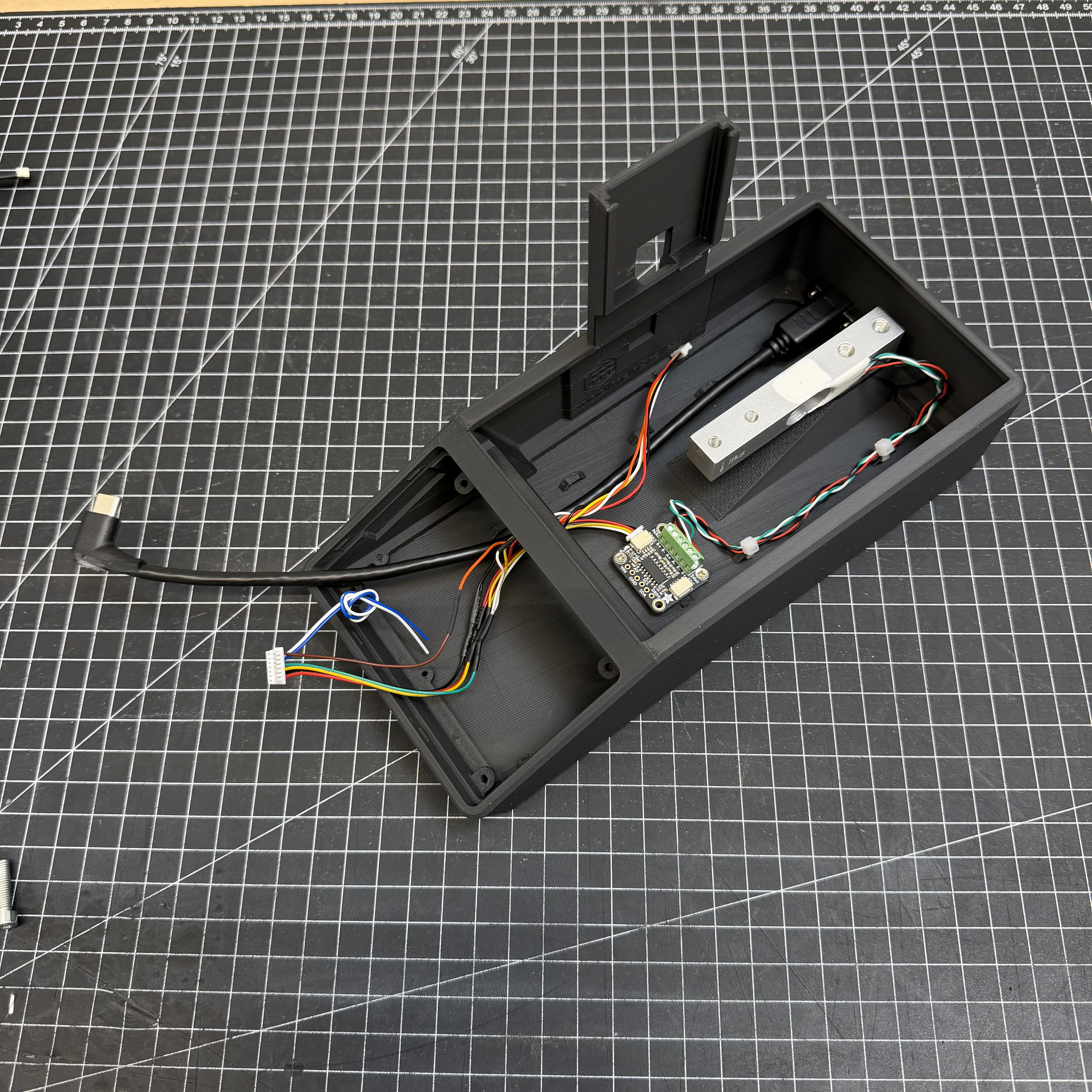
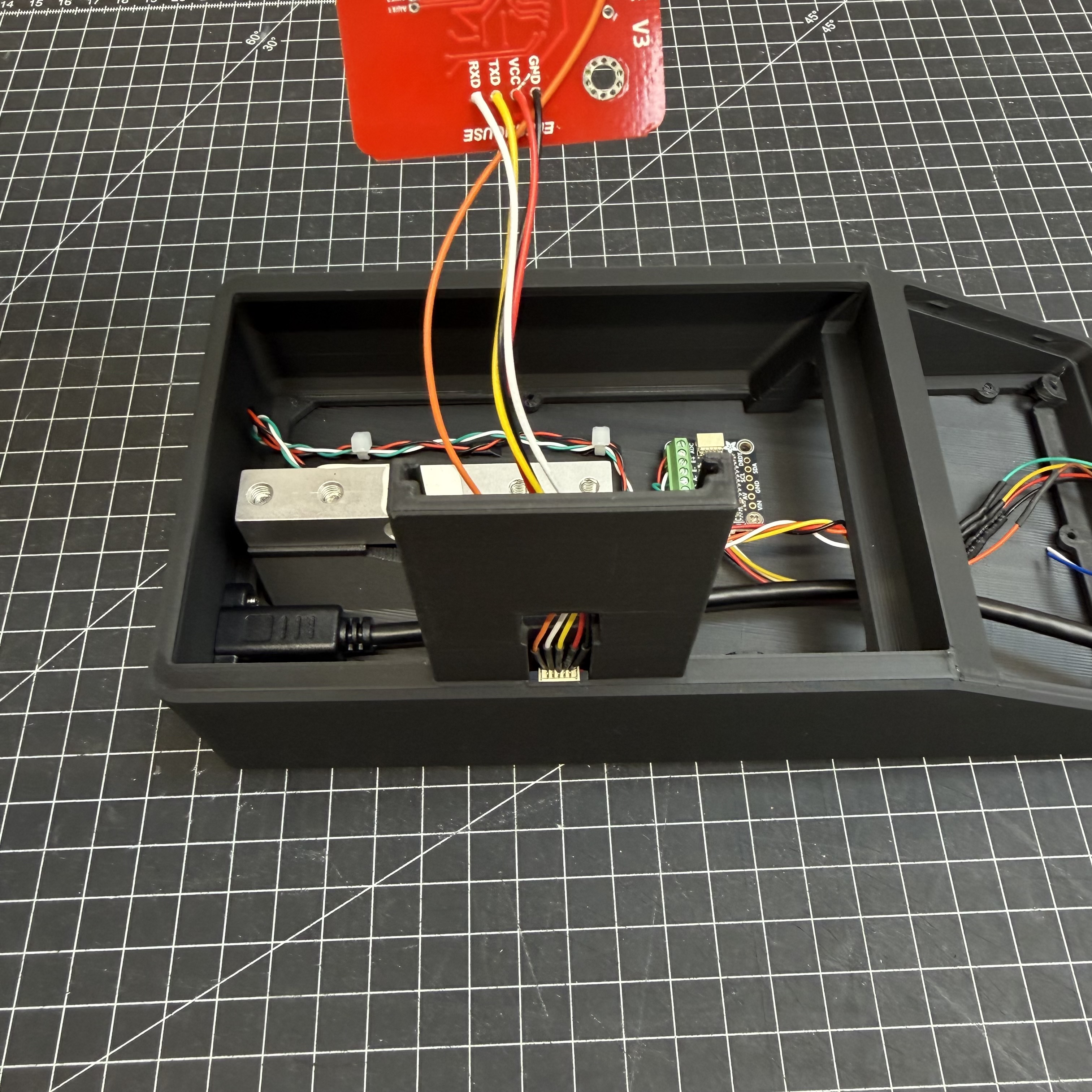
Step 2 — Wire one component at a time
Connect components one at a time and verify each one works before moving on — much easier to debug at this stage than inside a fully assembled enclosure.
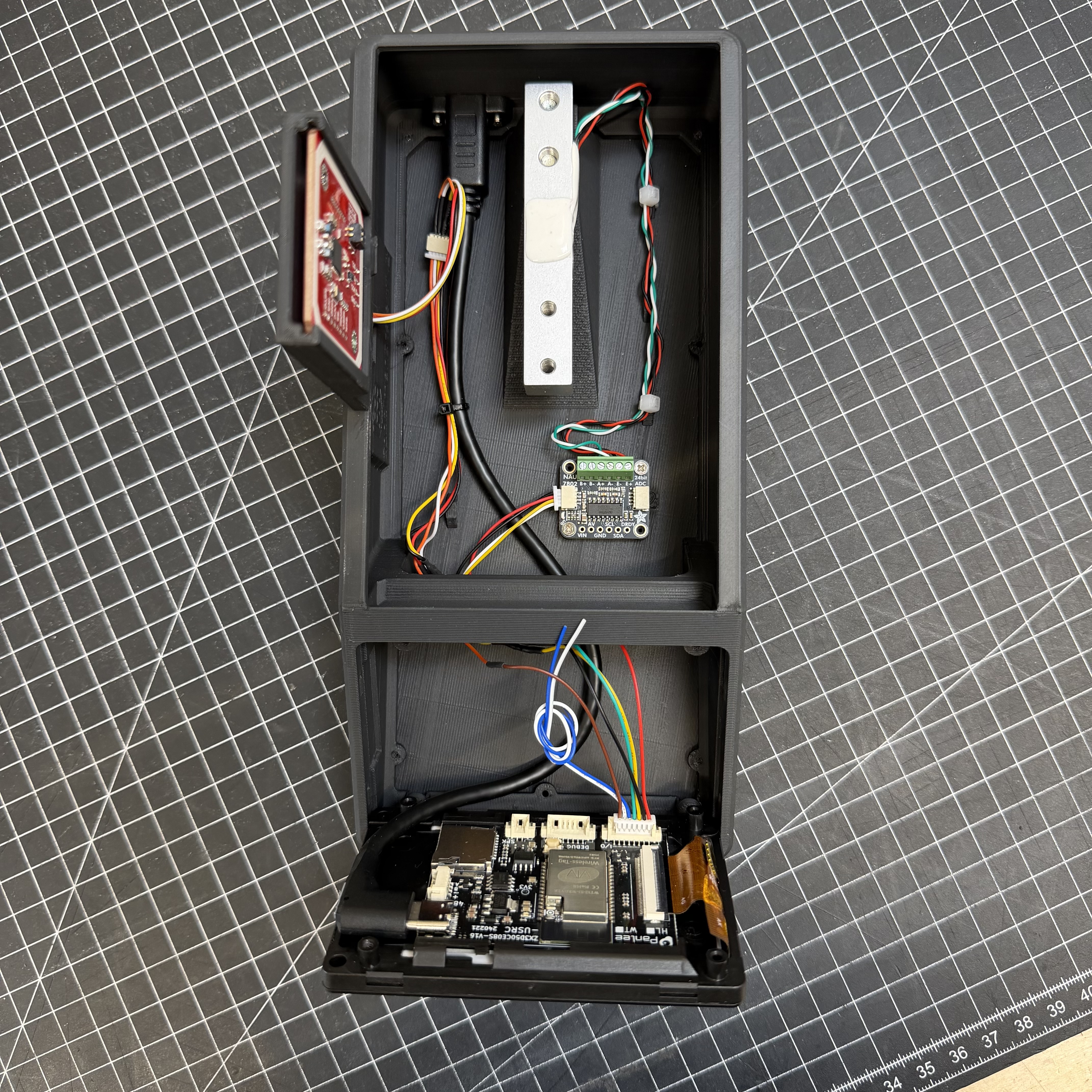
Order: 1. PN532 NFC reader 2. NAU7802 scale ADC + load cell
See the Wiring Guide for all connections.
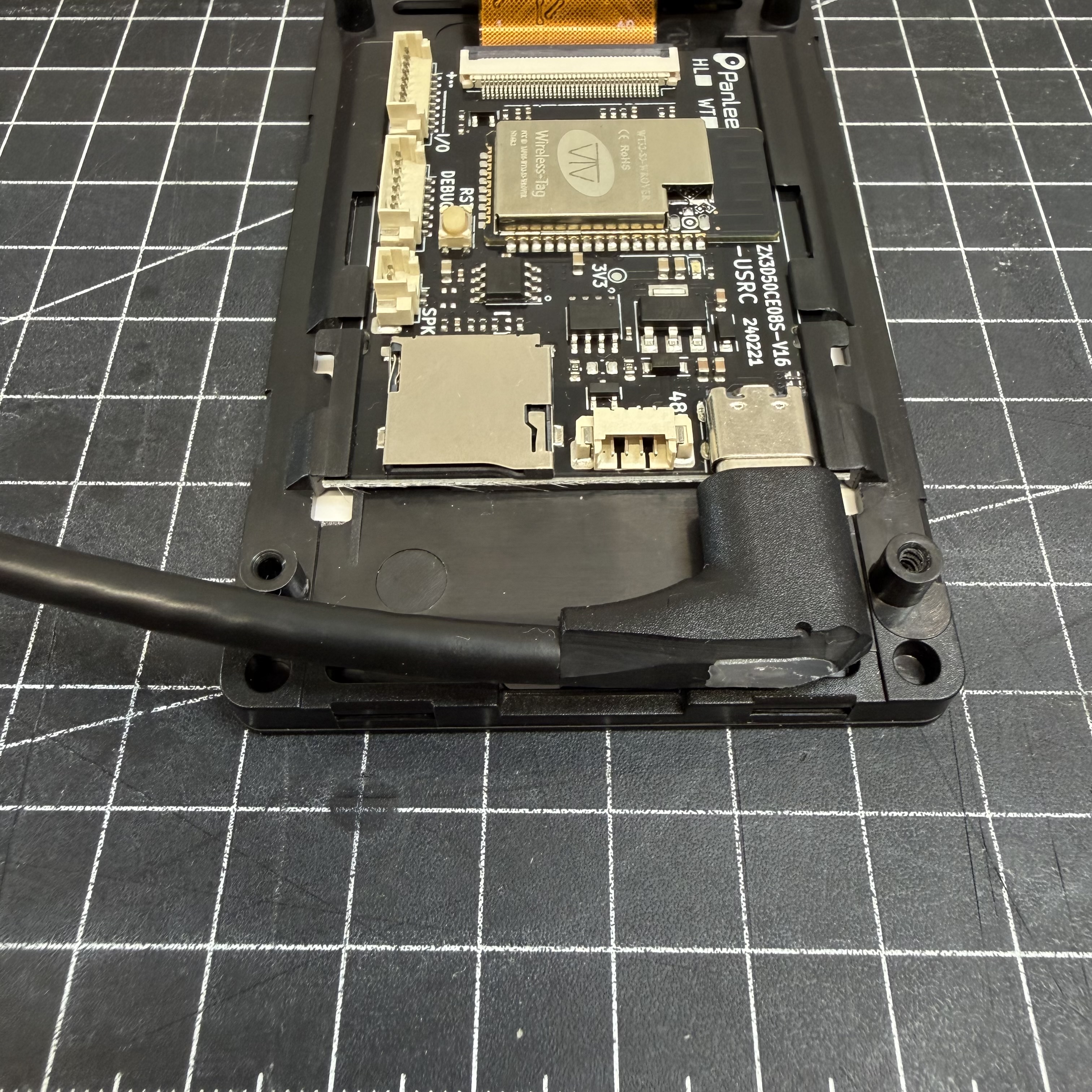
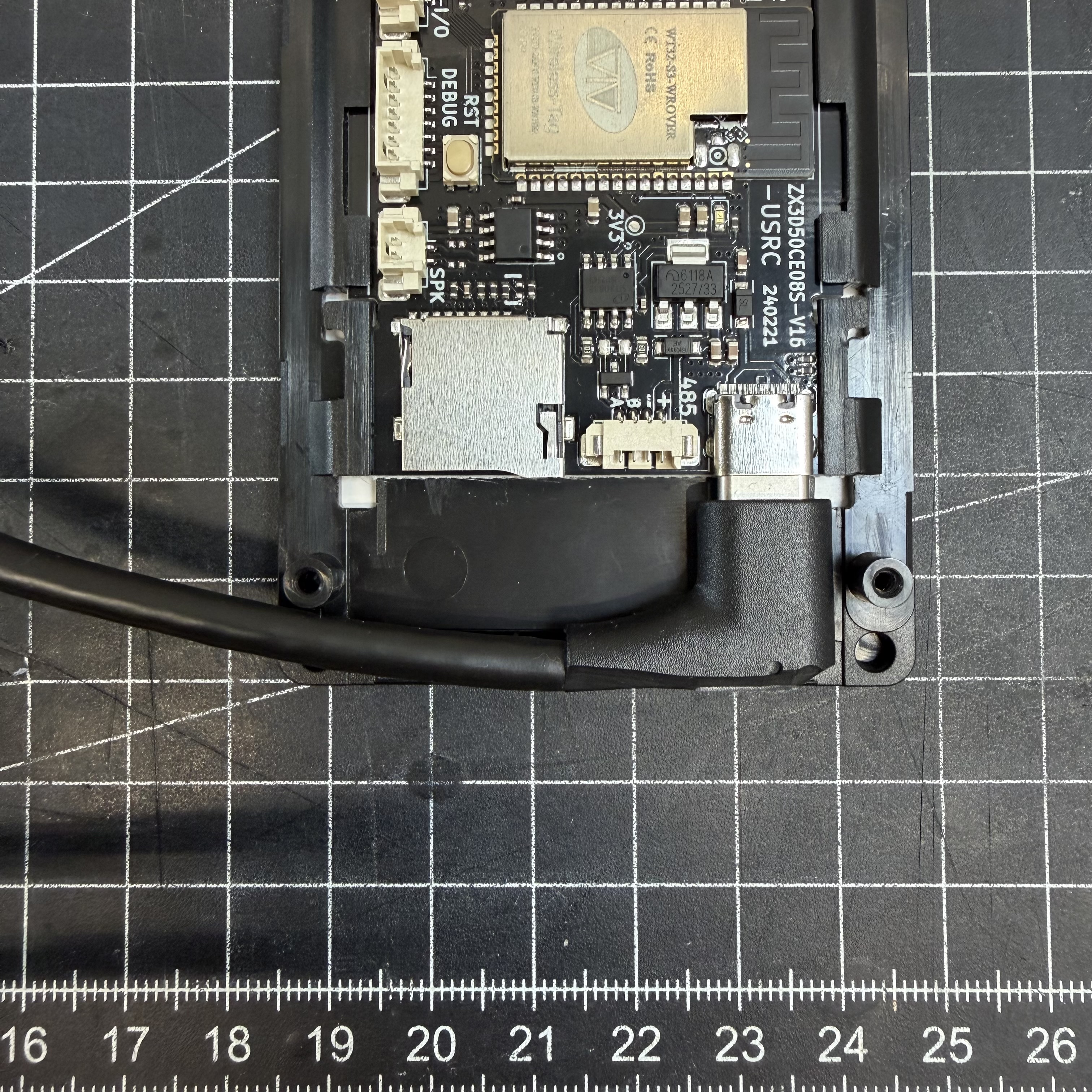
Step 3 — USB-C Panel Mount
The USB-C panel mount needs to be trimmed before installation. Using a utility knife, carefully shorten the connector housing little by little until it no longer protrudes beyond the display edge. Take your time — small cuts at a time. Once flush, it fits cleanly into the enclosure.
Step 4 — Close up
Do a final check that all components are working, then press the display into the enclosure. It should sit snugly without screws. If you want extra security, it can be fastened from the back.
Step 5 — Calibrate
Go to Settings → Scale → Calibration:
- Tare with nothing on the scale
- Place a known weight (~1000 g recommended — a full spool verified on a kitchen scale works well)
- Enter the exact weight in grams and save
Better reference = better accuracy
The more precise your reference weight, the more accurate your results.
Assembly Photos
Next Step
➡️ Flashing