The web interface
Everything the device can do, in a browser: separate pages, in German, English and French, as usable on a phone as on a desktop. What you change here and on the device is the same setting.
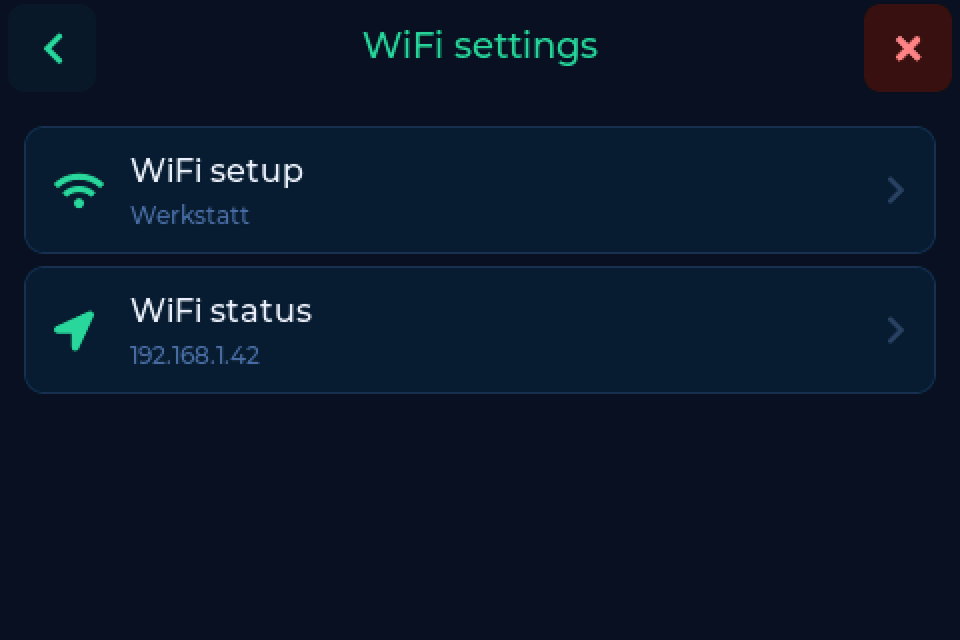
Reach it at http://spoolmanscale.local or the device's IP address. The IP
is shown under Settings → Connection → WiFi settings → WiFi status.
The three switches
Three switches under Settings → System → Web interface decide how much is served:
| Switch | Serves | Default |
|---|---|---|
| Web server | the master switch. Off, port 80 stops answering. | on |
| Settings | backend, drying, printer, list limits, display, tag options | off |
| Maintenance | tags, logs, firmware, restart | off |
Turn Settings and Maintenance on when you need them, on a network you trust. Password on the same screen protects both with 4 to 8 digits.
FilaMan keeps working
With FilaMan set up, FilaMan's own tag requests still reach the scale when the web server is off.
The pages
| Page | What it does | Needs |
|---|---|---|
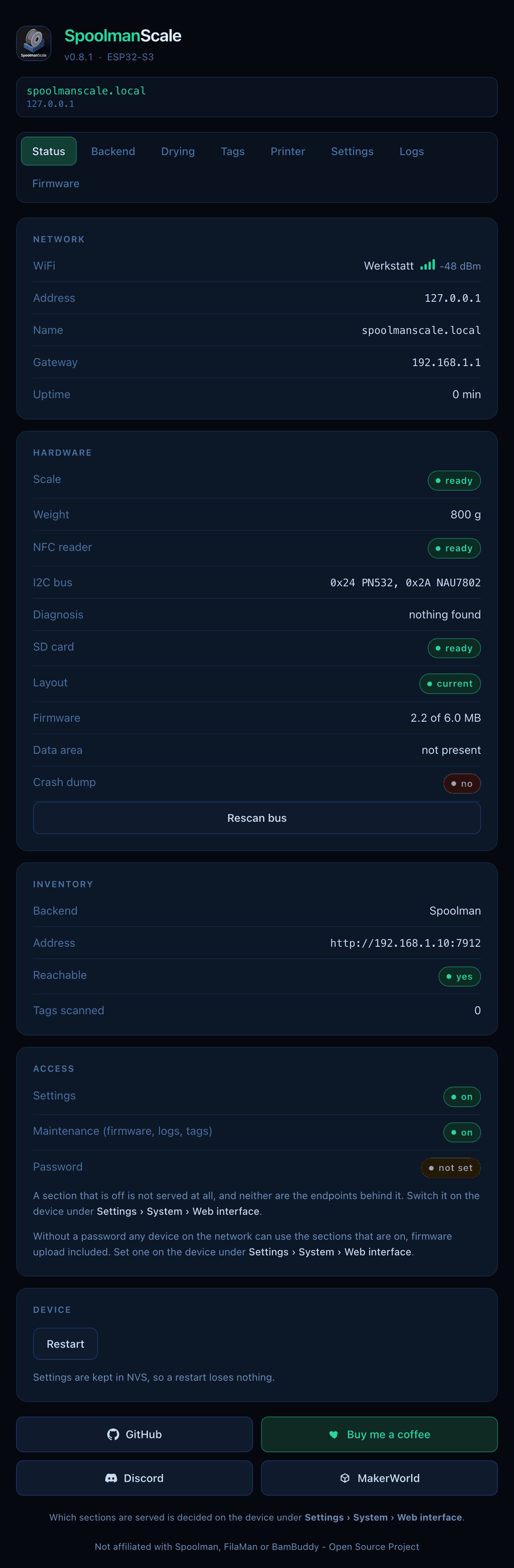
| Status | live weight, the spool on the pad, WiFi, backend, diagnosis | web server |
| Backend | backend, address, credentials, options | Settings |
| Drying | drying reminder and intervals per material | Settings |
| Tags | read, compare, write, link or erase the tag on the reader | Maintenance |
| Printer | Bluetooth and the label printer | Settings |
| Settings | list limits, display, device name, time zone, Snapmaker tags | Settings |
| Logs | where the log goes and how much, read and download it | Maintenance |
| Firmware | update from GitHub or upload a file | Maintenance |
Tags
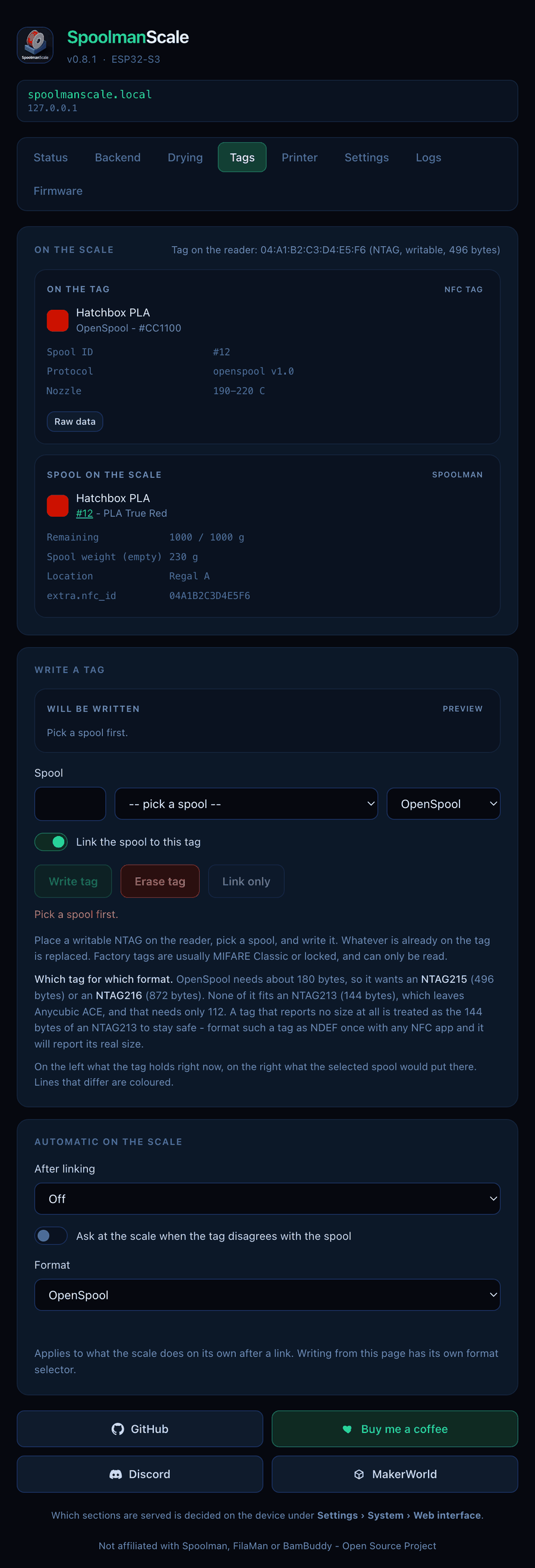
The Tags page shows what is on the tag next to what would go on it from your inventory, with the differences highlighted. Pick the format, then write, erase or just link the tag. The tag has to be on the reader. More in NFC tags.
Logs
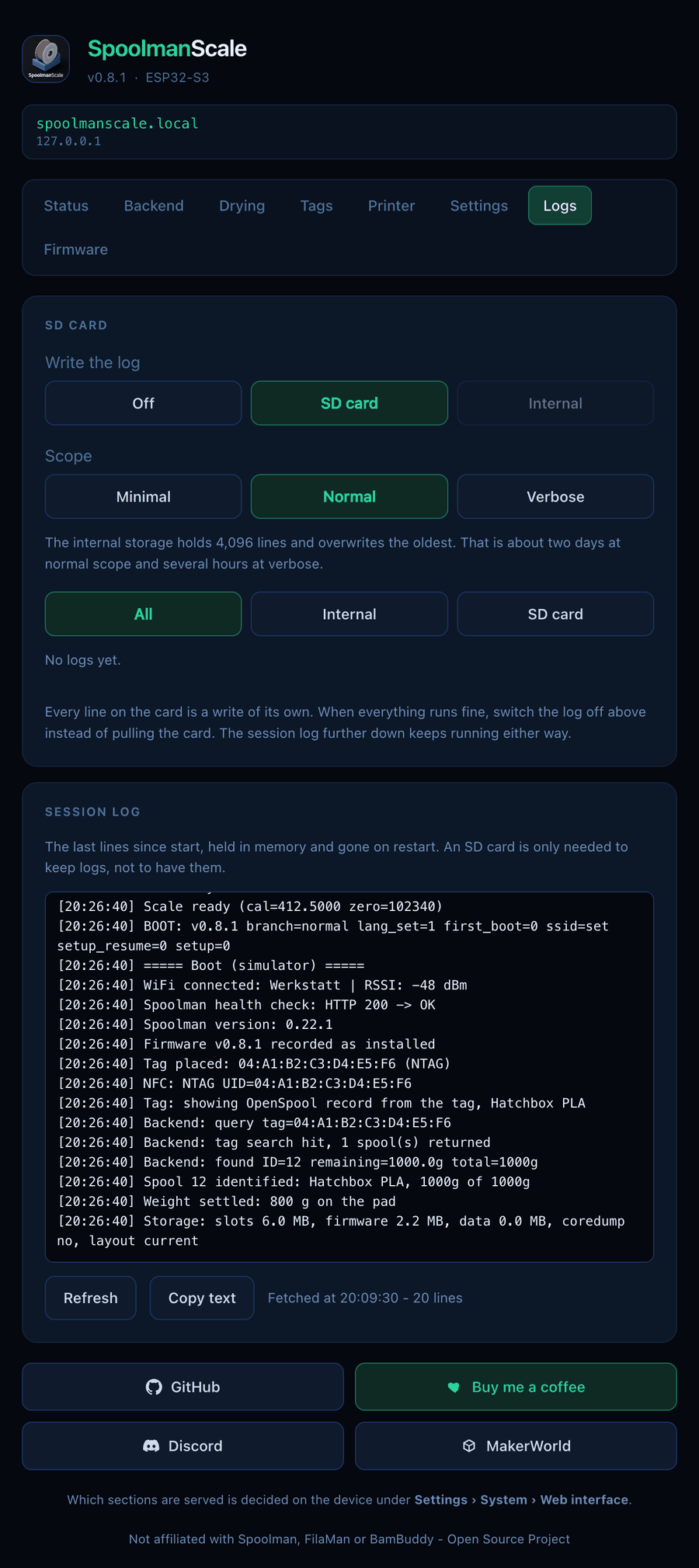
- Write the log: Off, SD card or Internal. Internal needs no card and holds the last 4,096 lines.
- Scope: Minimal, Normal or Verbose. For a bug report, set it to Verbose first.
- Read, filter and download the logs. The Session log below shows the lines since the last start.
Firmware updates
The page checks GitHub, shows the release notes and installs the update. You can
also upload a .bin file yourself. An update that no longer fits the scale is
not offered; the page points you to the web flasher instead. See
Updating the firmware.