AMS view
The AMS view shows what is loaded in your printer: every unit, every bay, with material, colour and remaining filament. Tap a bay and a card shows what your filament manager knows about that spool, and you can record a drying run without taking the spool out.
FilaMan and BamBuddy only
The AMS view needs FilaMan or BamBuddy as the backend. It appears once the printer has answered and reports an AMS: as the AMS chip in the header, and as Show the AMS under Settings → Scale.
The grid
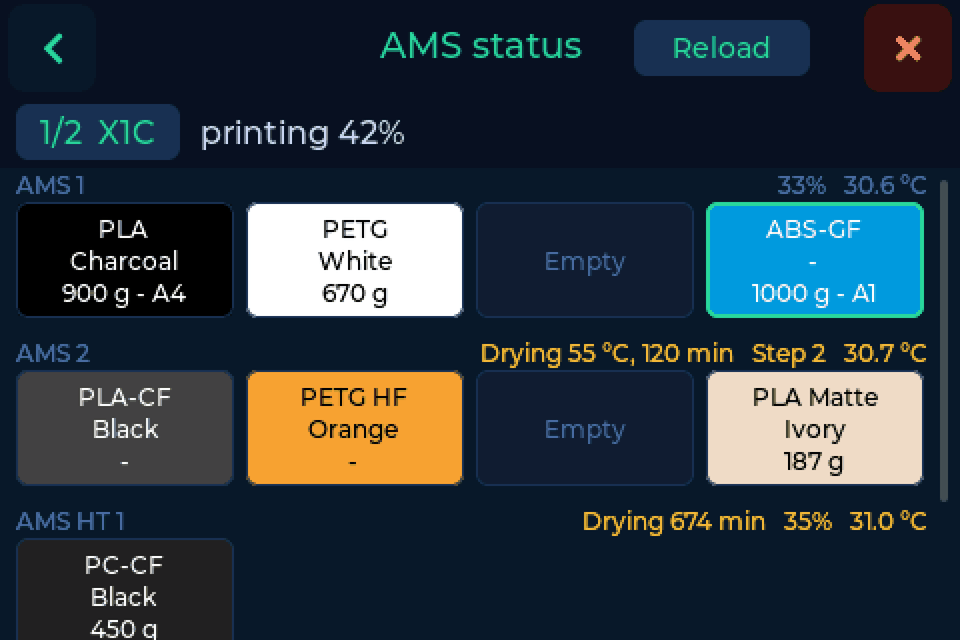
Each unit has a row: AMS 1, AMS 2, AMS HT 1 and External. Every filled bay is a tile in the filament's colour with material, colour and remaining amount. The bay the printer is feeding from has a green frame. Humidity, temperature and a running drying cycle stand next to the unit name.
Above the grid stand the printer and what it is doing. With several printers, tap the printer's name to switch. Reload reads the printer again. When the printer is offline, the grid shows its last known state.
The bay card
Tap a filled bay and the card opens.
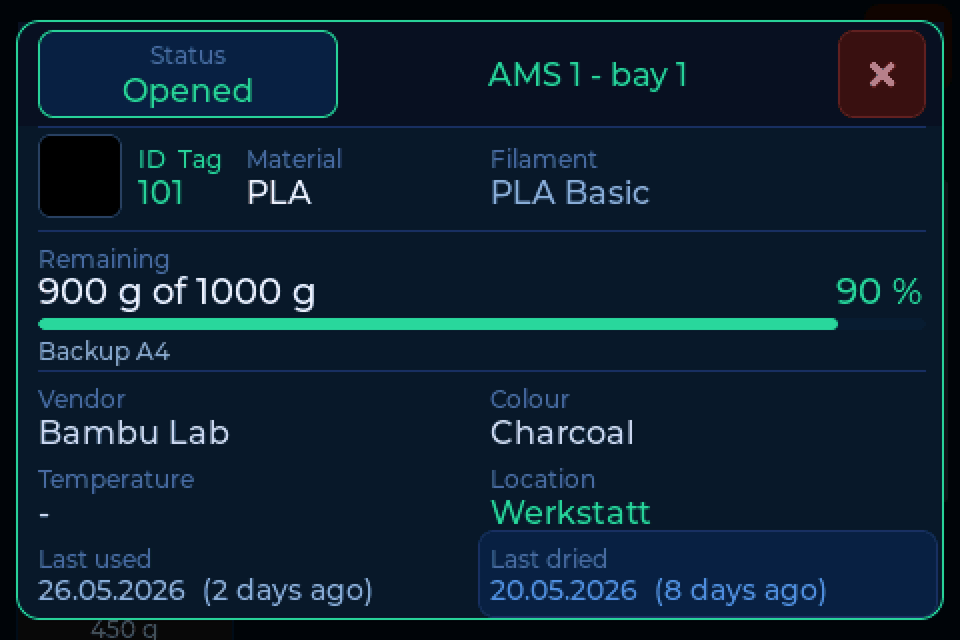
It shows the spool your backend has assigned to the bay: ID, material, name, remaining filament, vendor, colour, location, last used and last dried. The drying date takes the colour of the drying reminder. With FilaMan, Status at the top left changes the spool's status.
If the printer reports a different material than the spool in your backend, the card says so. Most likely a spool was swapped without a new assignment.
Recording a drying run
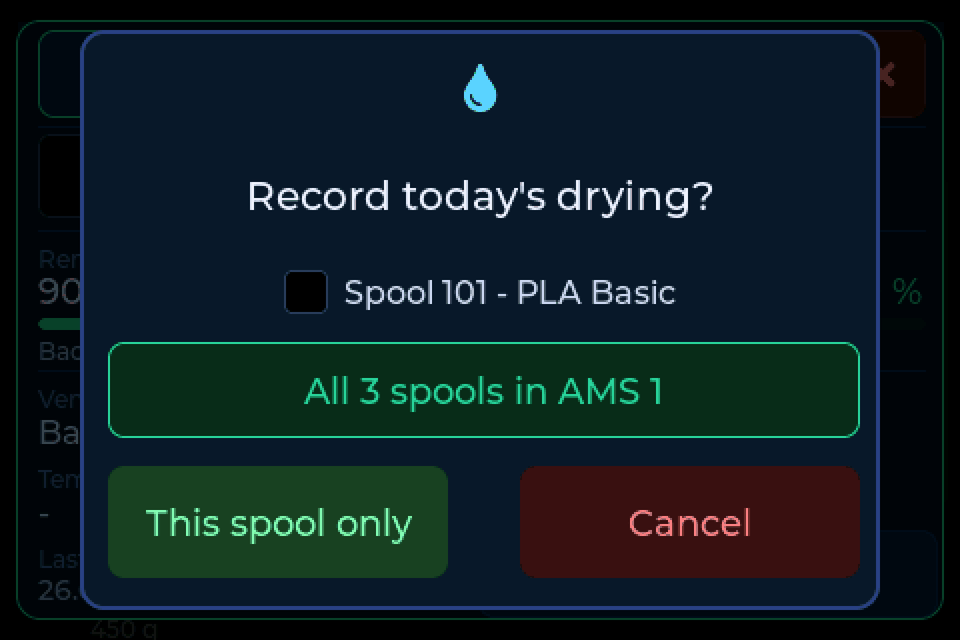
Just dried the spool in the AMS? Tap Last dried on the card and confirm. Today's date is written to your backend.
An AMS 2 Pro dries every spool in it at once, so there you can record it for the whole unit in one go:
Into the AMS after weighing
Switch on Into the AMS after weighing under Settings → Connection → More options. Weigh a spool, lift it off the pad, and the AMS view opens with into which bay?. Tap the bay and BamBuddy records it. BamBuddy also sets up the bay on the printer.
Set Auto AMS assign under Settings → Connection → More options to Ask or Automatic. When you lift a weighed spool, FilaMan holds it ready for a short time, and the next tray the printer loads gets it. With Ask, the scale asks first, and AMS view shows the bays before you decide.